


HVAC Trailer & Truck Decals
Your work vehicles are rolling billboards. Here's how to lay out decals for HVAC service vans, trucks and trailers so people remember your name and call you, with an example design to get you started.
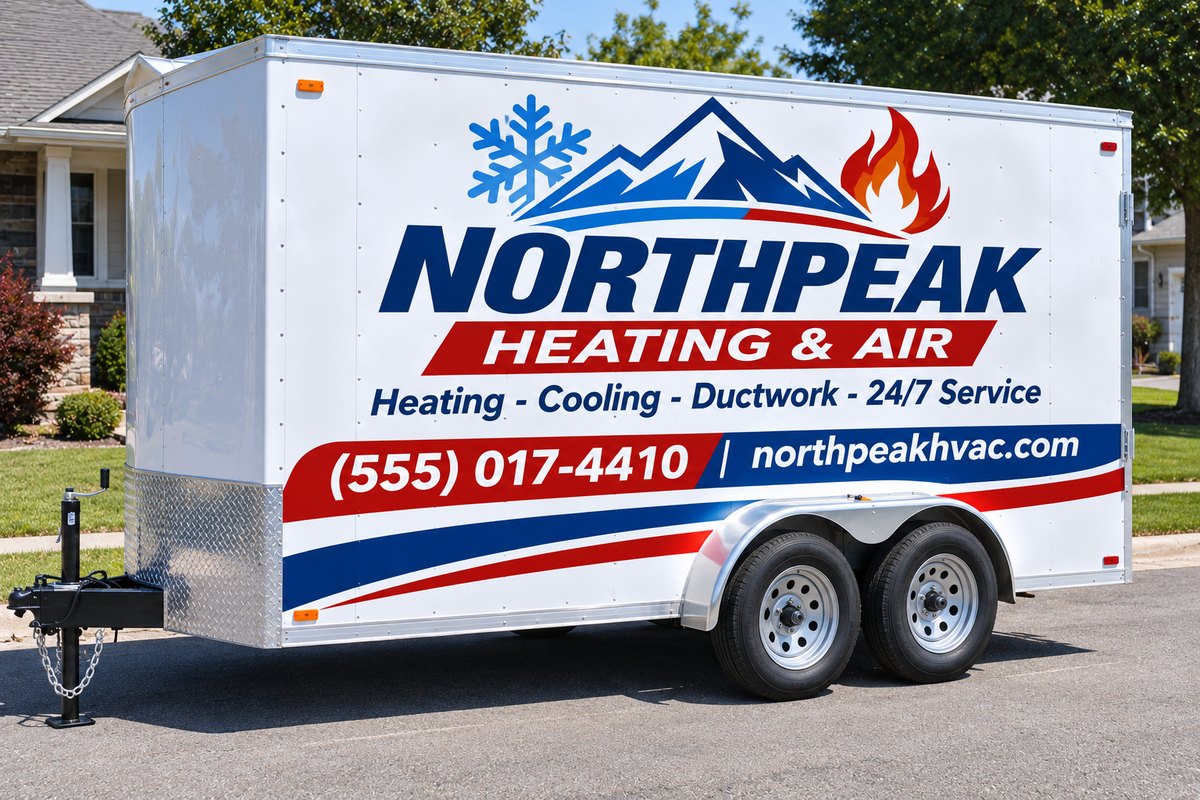
Example design for a fictional business, Northpeak Heating & Air. Your graphics are made with your own logo, colors and contact details.
Use this design as your template →
Opens our designer with this exact layout, stripes and all. Type in your own company name, services and phone number, upload your logo to swap it in, and change any color. Or start from a blank trailer or design truck door logos.
What to put on an HVAC trailer or truck
- Logo and company name: the largest element, so it's readable from a distance.
- Services: three or four short ones, not a long list.
- Phone number: large and high on the side.
- Website: short and easy to remember.
- Required numbers: a license number if your state requires it. If you need a USDOT number, it goes on both sides of the truck itself, not the trailer.
Design tips for HVAC businesses
- Red and blue tells people heating and cooling at a glance.
- Put "24/7 Service" or "Emergency Service" where it stands out. It's what someone with a broken furnace is looking for.
- Keep the phone number large and high on the side, where it's visible over parked cars.
- Use the same logo on every van and trailer so your fleet is recognized around town.
How it works
- Upload your logo or start from text in our designer.
- Preview it on a trailer or truck door before you order.
- A designer checks your layout and sends a free proof. We make it from 3M vinyl with a protective laminate and ship it ready to apply.
More HVAC trailer designs
Start from one of these templates. Each one opens in the designer, where you can add your logo and details and change every color.
Matching truck door designs: TrueTemp · Polar Peak · BlueFlame
More: Trailer lettering & graphics · Do I need a USDOT number? · Decals for other trades

